You're the human in the loop.
An agent-native, local-first code review tool that gives you a GitHub PR-like interface for AI-generated commits — with structured feedback your AI agent can actually act on. Works with Claude Code, Cursor, Windsurf, Codex, and OpenCode.

Nobody wants to review AI-generated code they didn't ask for. CorgReview lets you review your AI's output before it ever reaches your team — the same way you'd self-review before opening a PR.
Line comments, blockers, approvals, request changes. It's the PR review interface you use every day, applied to local AI commits before they go anywhere.
Your review is saved as structured markdown that AI agents can read and respond to. Flag a blocker, and your agent knows exactly what to fix and where.
CorgReview brings pull request review to your local AI workflow — review it yourself first, then share with confidence.
When your AI agent finishes a task, it calls CorgReview via the installed skill — running corg review directly. Works with Claude Code, Cursor, Windsurf, Codex, and OpenCode. CorgReview auto-detects your feature branch and diffs it against the base. Your browser opens to a review UI showing which agent made the changes and why. No context switch, no commit ranges to remember.
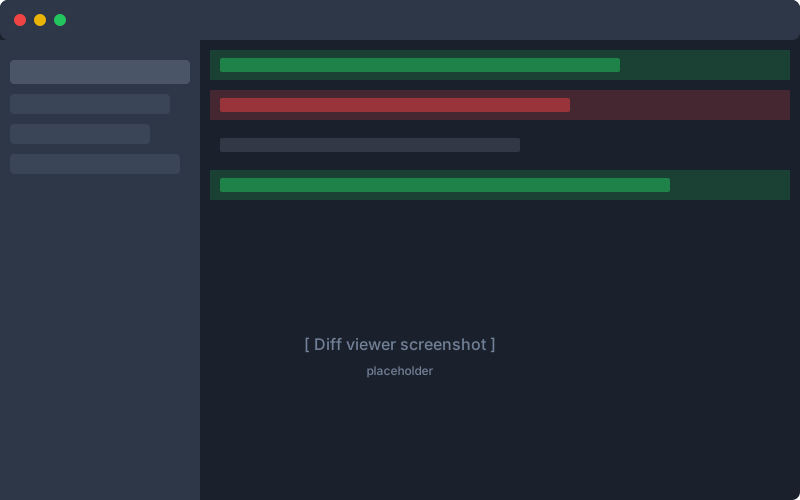
Browse changed files in a resizable file tree. Read diffs with syntax highlighting — switch between unified and split view with one click. Leave line comments. Tag issues as blockers, questions, or suggestions. Set your status: approve, request changes, or comment.
Submit your review, and it's saved as structured markdown. Your AI agent receives the results — blocker count, comments, and your summary — and addresses your feedback. When it commits fixes, re-open the same branch review and your previous comments are still there. Iterate until you approve.
Three ways to use it: Agent skill (corg init) for seamless AI agent integration, standalone CLI (corg review) for manual reviews, or corg serve for an interactive dashboard. Run corg init to set up in seconds.
Syntax-highlighted diffs with line numbers, file status badges, and hunk-by-hunk navigation. Toggle between unified and split view — your preference persists across sessions. Exactly what you're used to.
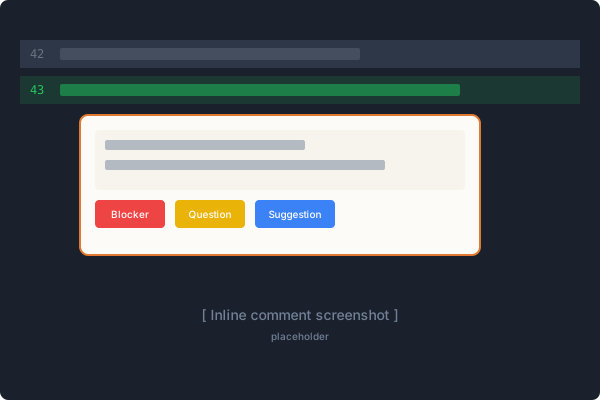
Click any line to add a comment. Tag it as a blocker, question, suggestion, or note. Your AI knows which ones are mandatory.
Every review is saved as a human-readable, git-friendly markdown file. Audit trail included.
Run corg init and CorgReview auto-detects your agent and installs natively — skills for Claude Code, Cursor, Windsurf, Codex, and OpenCode. MCP config for agents that support it, markdown-based skills for those that don't. One command, zero config.
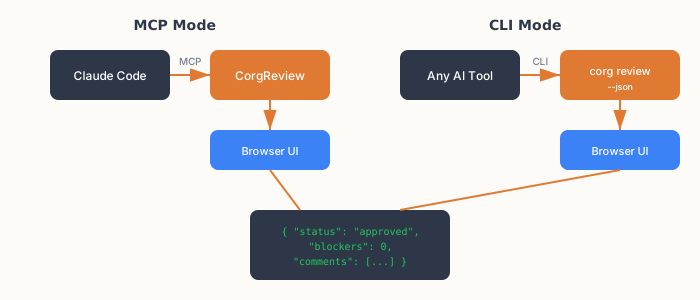
CorgReview auto-detects your feature branch and diffs it against the base. Leave comments, close the browser, come back later — your review resumes exactly where you left off. Each branch gets its own persistent review file, so nothing is lost between iterations.
corg serve
Run corg serve to get a persistent dashboard. Browse branches, see recent commits, and start a review with one click — no need to remember commit ranges. The server stays alive between reviews.
Your AI agent can provide a description of what the branch does and why. It shows at the top of the review UI, giving you context before you read a single line of code.
Switch between light and dark mode. Your preference persists across sessions and applies to diffs, comments, and the entire UI.
Drag to resize the file tree and review summary panels. Collapse or expand the summary with one click. Switch between unified and split diff views. All your preferences persist automatically.
No cloud, no account, no data leaving your machine. A single binary that works offline.
Whether you're a solo developer shipping faster with AI, or a team lead who needs to trust what's going into the codebase — CorgReview fits.
One purchase. All features. Every update through v1.x.
Includes all updates through v1.x and your permanent license
corg init — one command setup No subscription. No account required. One binary, yours forever.
*macOS users: Right-click → Open on first run (standard for unsigned binaries)